
What is a dual in Travian?
A dual is another player who helps manage the same Travian avatar. Players often look for a dual to cover overnight hours, keep building queues moving, manage raids, or share everyday tasks. Agree on responsibilities before giving someone access.
TraviTools Dual Finder helps players find each other. It does not grant access to a Travian avatar or send invitations. Those steps happen in the Travian lobby after you have agreed to play together.
1. Browse listings and find a compatible teammate
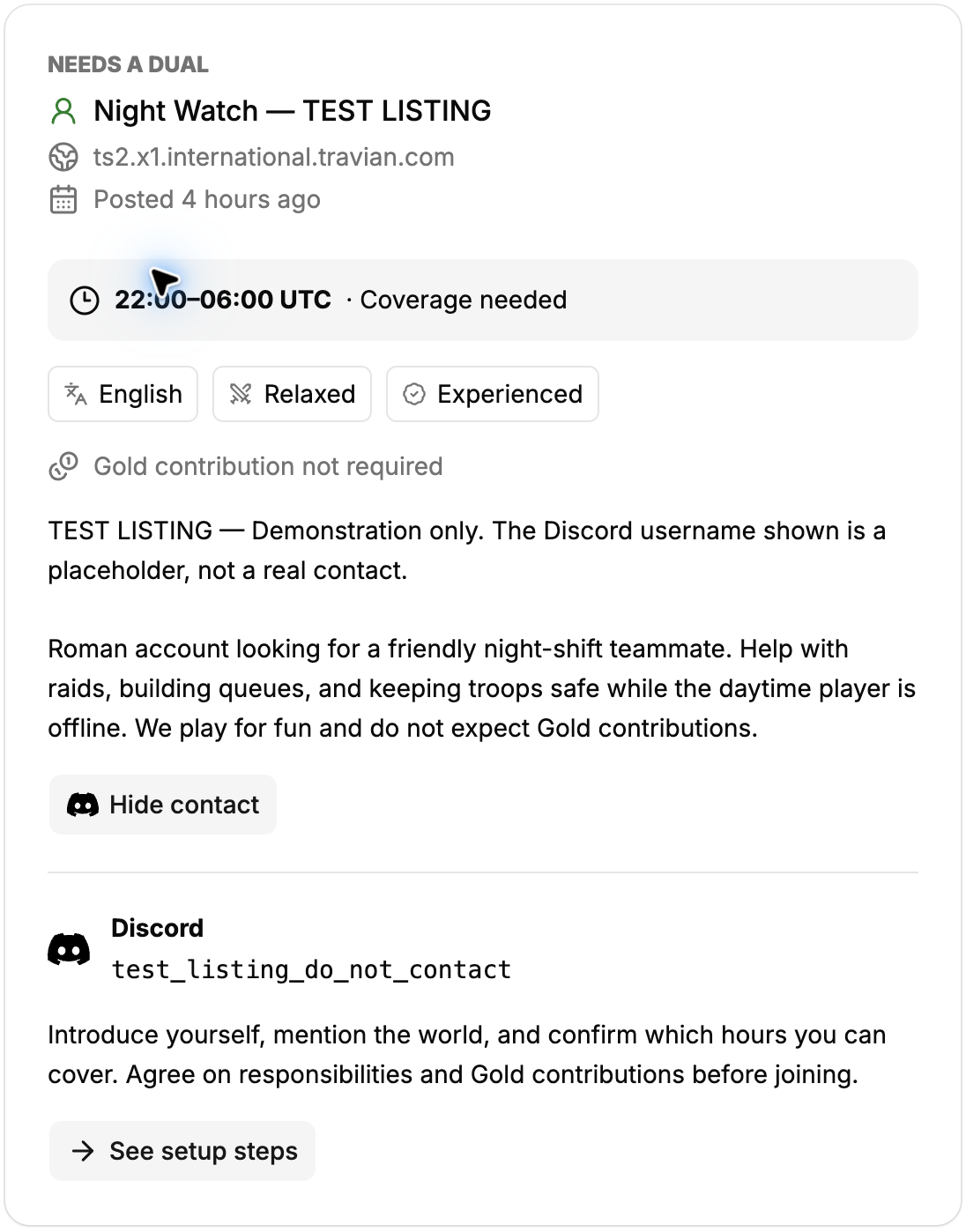
Open Dual Finder from Resources in the sidebar. You can browse public listings without signing in. Use Show to choose accounts needing a dual or players looking for an account, then narrow the results by world host, language, and play style. Type part of a world host or language and choose a suggestion from the combobox. Searches ignore letter case; for example, ts2 finds matching world hosts and eng finds English.
Each card shows the player’s in-game name, world, daily UTC hours, language, experience, Gold preference, and description. The posted timestamp shows minutes for listings under an hour old and hours for those under 24 hours old; older listings show a date. Renewing a listing keeps its original posted timestamp.
Read the description before contacting someone. Matching hours is useful, but it does not establish trust or guarantee that a player will be available. Contact usernames require sign-in.
2. Post a listing and choose your UTC coverage hours
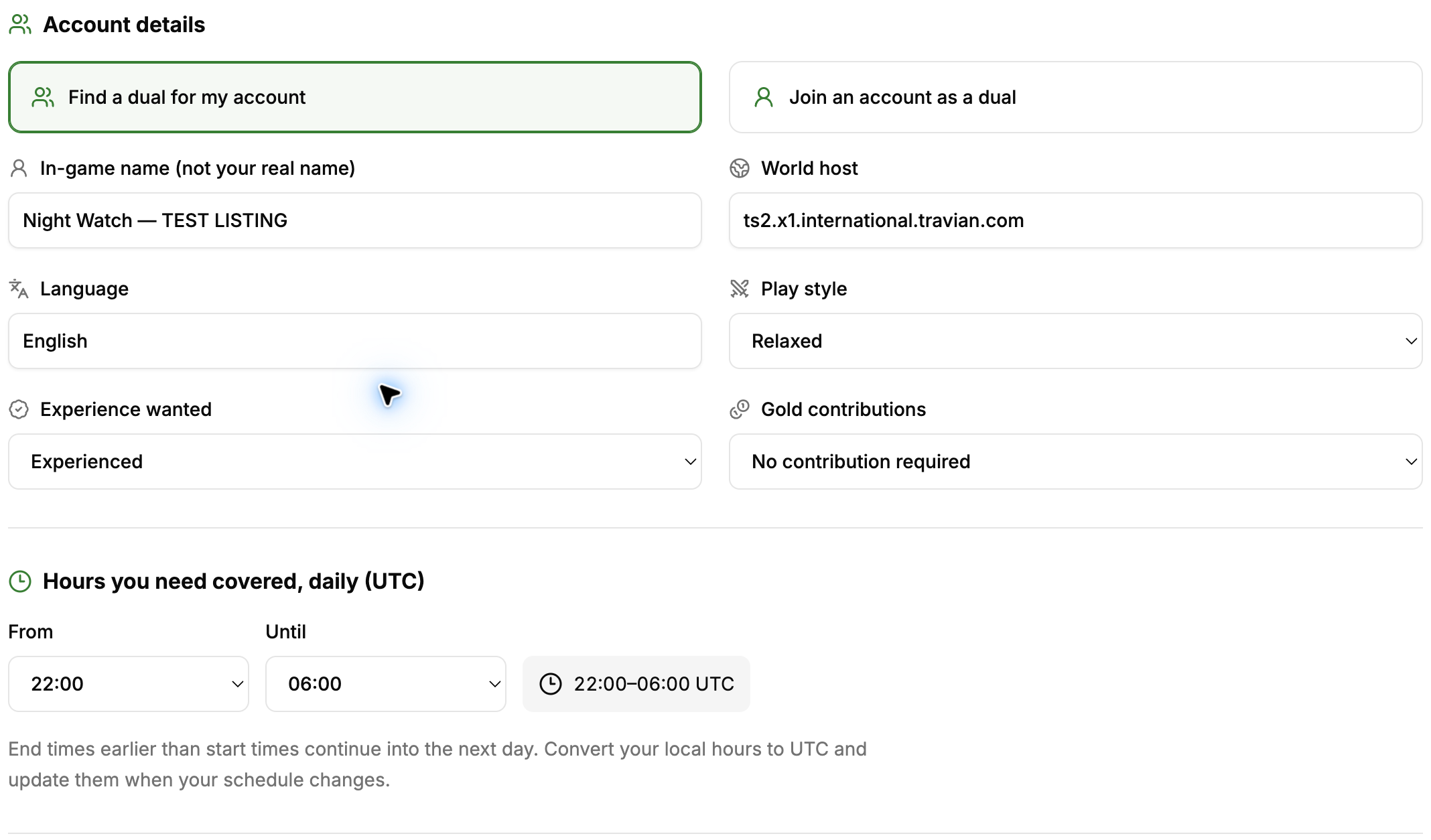
Sign in to TraviTools and select Post a listing. Choose Find a dual for my account if you need help, or Join an account as a dual if you want to offer your time. Enter your in-game name, Travian world host, language, play style, experience preference, and expectations about Gold contributions.
Set the daily hours you need covered or can offer in UTC. For example, 22:00–06:00 runs through midnight into the next day. Convert from your local time and update your listing if your availability or daylight-saving offset changes.
Use the description to explain your tribe, goals, usual tasks, and available days. One listing is allowed per player. When you have your own listing, cards for the opposite role on the same world can show how many requested hours overlap.
3. Choose Discord, Telegram, or Signal for contact
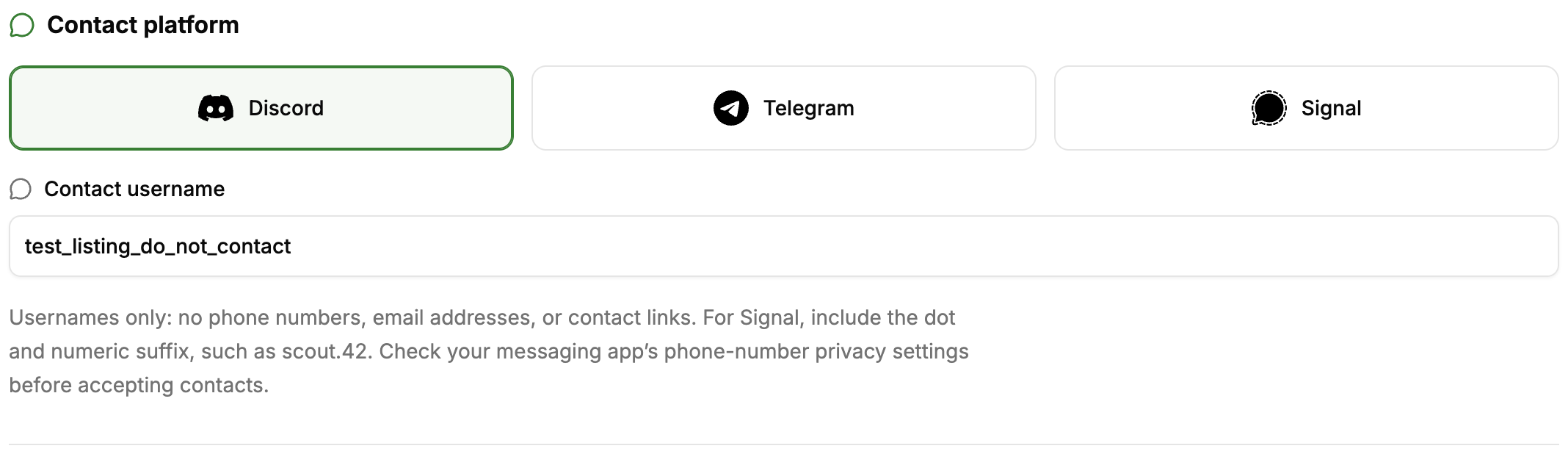
Select a contact platform and enter your username, not an email address, phone number, or contact link. For Signal, include the username’s numeric suffix. Keep passwords, real names, and other private details out of the listing description.
Read the consent notice before saving. New listings are publicly visible, while the dedicated contact username is only available to signed-in members. Listings created under the earlier members-only notice stay restricted until their owner renews them with the updated consent.
To contact a player, sign in and open the contact-details button on their card. Introduce yourself, mention the world and hours you can cover, and agree on tasks, communication, and any Gold contributions. Someone who has seen a username may keep a copy even after the listing is deleted.
4. Invite your dual through the Travian lobby
Both players need their own Travian lobby account. The avatar owner opens the duals icon on the relevant world tile and invites the other player using their full lobby account name. The invited player accepts in their own lobby. Do not share your lobby password.
Check the current official Travian lobby and dual instructions before inviting someone, including the one-avatar-per-world restriction. If the joining player already has an avatar on that world, follow Travian’s documented transition process.
5. Renew or remove your listing
Use Edit / renew listing to update your information and restart the 30-day visibility period. Expired listings are hidden immediately; the daily cleanup removes them from the active database within the following 24 hours.
When you find a teammate, select Delete listing & withdraw consent. You can also export your own listing from the toolbar. Read the TraviTools privacy policy for the full details about storage, deletion, and privacy requests.
Common questions
Can I browse Travian dual listings without signing in?
Yes. Public listings can be browsed and filtered without an account. Sign in to post a listing or view contact usernames.
Which contact platforms does Dual Finder support?
Dual Finder supports Discord, Telegram, and Signal usernames. Contact usernames are visible only to signed-in members.
How long does a Dual Finder listing stay visible?
A listing stays visible for 30 days after its last save. Renew it to restart that period, or delete it when you find a teammate.
Does TraviTools invite a dual to my Travian account?
No. TraviTools helps players find each other. The avatar owner sends the invitation in the Travian lobby, and the dual accepts using their own lobby account.