

Travian statistics beyond a single leaderboard
The Travian Analyzer brings together statistics from a tracked server’s public map exports. It shows the size of the world, the leading players and alliances, and the changes between stored snapshots. Use it to put your own growth in context and follow the wider server throughout the round.
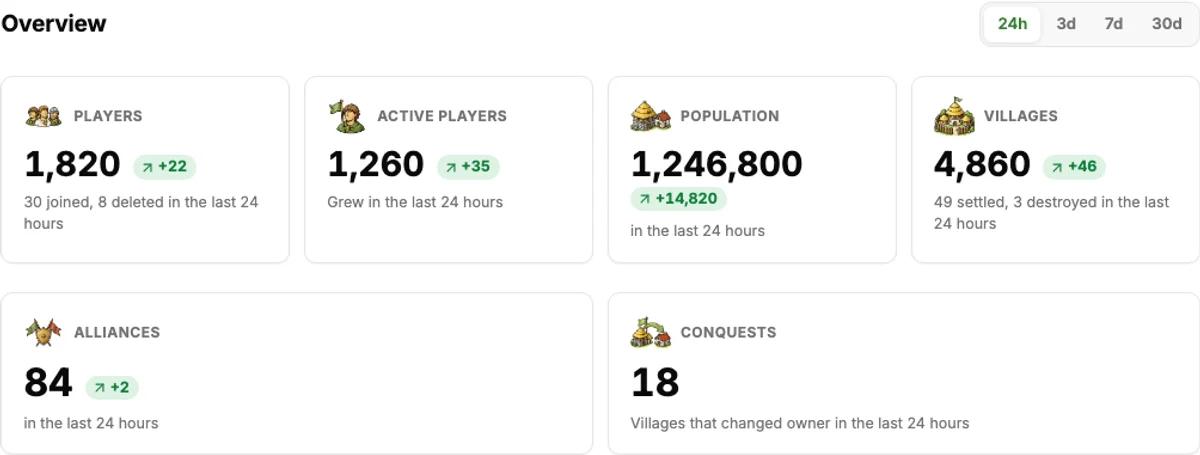
The overview counts players, population, villages and alliances. Choose 24h, 3d, 7d or 30d to compare changes over an available history window. Joined and deleted accounts, settled and destroyed villages, and villages that changed owner help explain why the totals moved.
Compare players, alliances and tribes
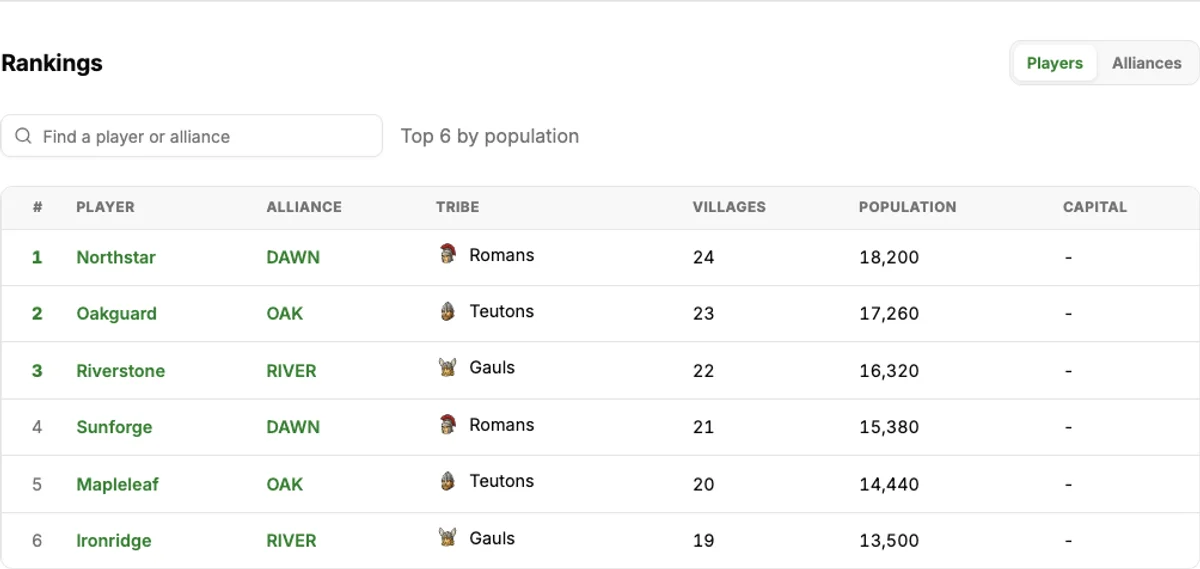
Switch Rankings between Players and Alliances, then search the displayed ranking list by name or alliance tag. Compare population and village counts, and open a player or alliance profile to investigate further. Population describes account size; it does not reveal troop strength or prove that an account is a safe target.
The tribe breakdown shows player counts and each tribe’s share of the server. Conquests and momentum sections add context about ownership changes and growth. Victory point figures appear where the tracked world provides them.
How to use the Travian Analyzer
- Create a TraviTools account or sign in.
- Open Account settings and add your game world and Travian player name.
- Select that account and world in the sidebar, then open Travian Analyzer → Server Statistics.
- Choose a comparison period, inspect the rankings and follow a player or alliance link for more detail.
Statistics follow the world selected in your account. If you play on several servers, switch worlds in the sidebar to inspect another round. You can explore the public explanation and screenshots here before signing in.
Where the server statistics come from
TraviTools compares stored snapshots of public Travian map exports. These are historical observations, not a live feed of every in-game action. Check the update date on the dashboard before drawing conclusions; a comparison needs an older snapshot for the chosen period.
An active player in this overview means an account whose population grew in the last 24 hours. It is a growth signal, not a measure of login activity. Public map data does not disclose private troop counts, resources or attack plans.
Explore more Travian analysis tools
Player Search · Alliance Search · Conquests · Read the server statistics guide
Set up your server