Which Travian tools should you use in 2026?
Start with TraviTools as your everyday Travian workspace. It brings player and alliance research, inactive hunting, village development, battle reports and alliance planning into one ad-free interface. Its strongest advantage is what happens between calculations: you can investigate a player, keep them on a watchlist, revisit changes and plan your next move without rebuilding your research from scratch.
Keep Kirilloid nearby for combat simulation, consider GetterTools if your team already relies on its troop and statistics workflows, and compare Travco if you need its specialized alliance features. The best setup depends on your role; our recommendation is to make TraviTools the place you start and return to throughout the server.
This guide is published by TraviTools. ‘Best overall’ is our editorial recommendation for the workflow described here, not an independent award or a measured claim that every calculator beats every alternative. We checked public feature descriptions on 12 October 2026 and explain the reasons below.
The best Travian tools at a glance
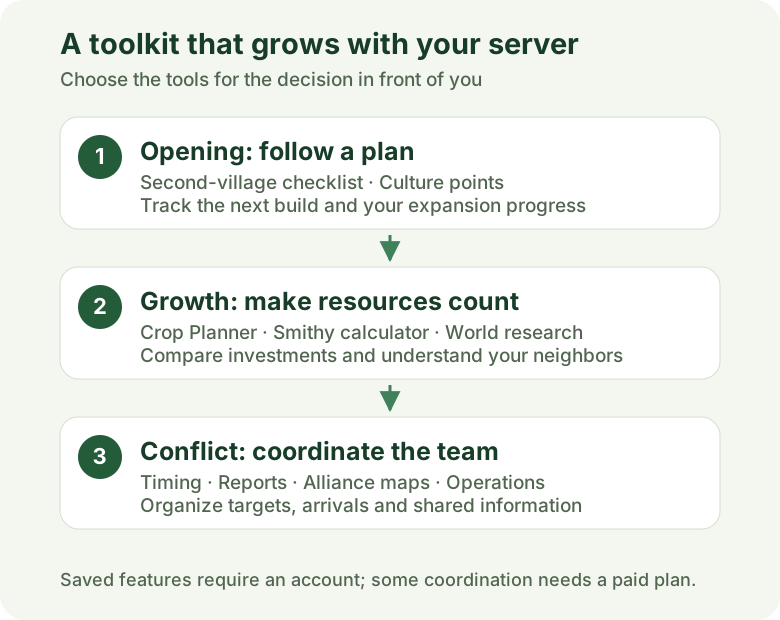
A useful Travian toolbox should help you answer three questions: what is happening around me, what should I build or send next, and how do I coordinate that decision with my team? Here is where we would start for each job.
| Tool | Best fit | Why consider it |
|---|---|---|
| TraviTools | Our pick for an everyday workspace | World research, saved planning, watchlists and alliance tools in one ad-free interface. |
| GetterTools | Established troop and statistics workflows | A broad directory including Trooptool, statistics, maps, inactive search and calculators. |
| Kirilloid | Combat simulation and detailed calculations | A useful specialist companion when you want to model a battle or examine game numbers. |
| Travco | Specialized alliance coordination | Documents attack and defense planning, artifact organization, supply and farmlist analysis. |
Why TraviTools is our best overall Travian toolbox
A calculator can give you the right number and still leave you with a messy session. Your target is in one tab, its alliance history is in another, your build order is in a spreadsheet, and the next thing to do is buried in Discord. TraviTools is built around those repeated transitions.
The sidebar groups world research, calculators, account tools and alliance work. Searchable navigation helps you reach a tool quickly. Illustrated page headings make the workspace easy to recognize, while labeled inputs and explanations help you understand the result. There are no advertising banners competing with the task.
The point is not that every feature is exclusive. It is that the same workspace can support your opening village, your daily target checks and your alliance’s coordination as the server develops. Start with one task, then add the tools you need.
1. Research your world before committing to a target
A population rank is a starting point, not a target assessment. Player Search helps you inspect a player’s villages, population history and alliance changes. Alliance Search adds the group context: members, village counts and growth over time. World Statistics and World Conquests help you see the wider server picture.
For example, a nearby village may look attractive until you check its owner and discover an active alliance behind it. Or a player’s sudden growth may need to be read alongside conquests rather than treated as ordinary building activity. These are practical reasons to research the player and the group together.
Your decision gets better when you can explain the change. TraviTools gives you several views of the same world instead of asking you to judge everything from a single leaderboard. Coverage and history depend on the tracked world and available snapshots; check your server before building a workflow around it.
2. Turn repeated profile checks into a watchlist
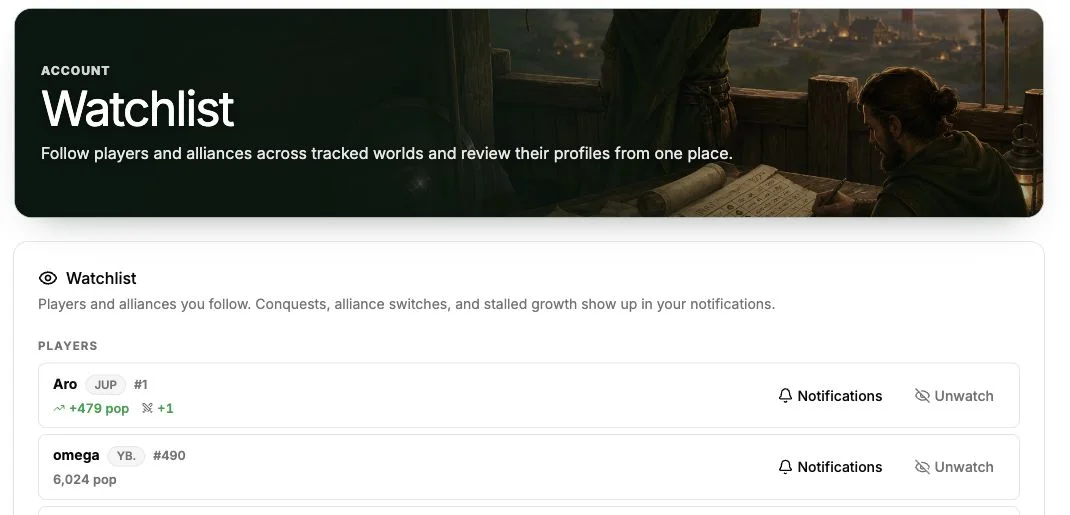
Research is most useful when you can return to it. Save players and alliances to the Watchlist so your next session starts with the people you care about. Configurable notifications cover events such as settlements, conquests, alliance changes and possible inactivity, subject to your plan.
Imagine checking a rival each evening. A watchlist gives that routine a home; event notifications help you notice changes worth investigating. You still make the strategic decision, but you spend less of the session remembering who to check.
World-change notifications come from daily snapshots. They do not reveal live troop movements or prove when someone is online. The player activity monitor is also an estimate based on population growth, not a login record. That distinction matters when choosing raid times.
3. Find potential farms, then check the evidence
The Inactive Finder shortlists potential farms near your village using population snapshots and distance filters. That is more useful than manually opening every nearby player, especially when you are trying to build a repeatable farming routine.
Use it as a filter, then inspect the owner and scout before committing troops. Flat population can mean stalled development; it does not guarantee an empty village, no defenders or profitable loot. The inactive-finder guide explains how to interpret inactivity signals before choosing a target.
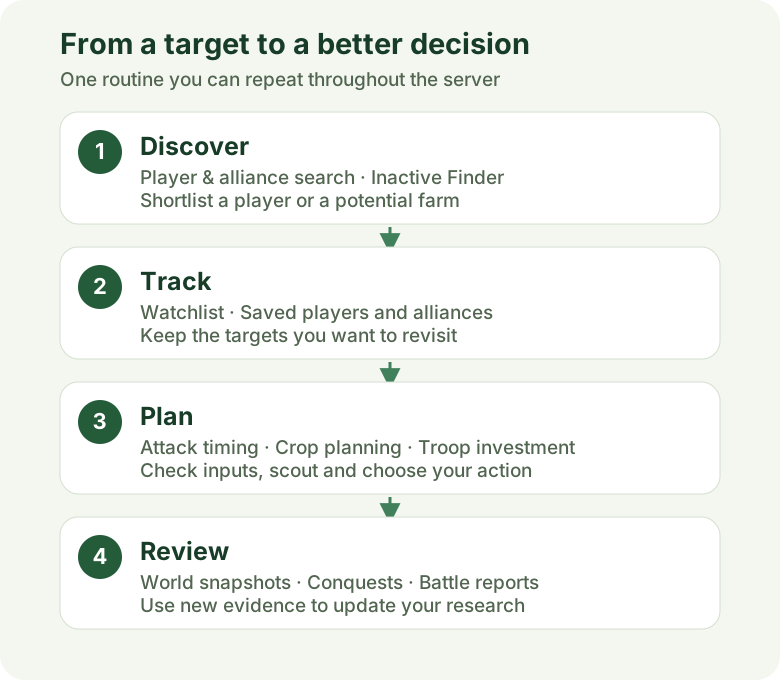
The diagram below shows the routine TraviTools supports. These are linked decisions, not an automated raid sequence: research the world, retain useful targets, calculate the next action and review what changed.
Find potential farms near your village
4. Make village growth a plan you can follow
The Second Village Guide turns an opening build order into a checklist. Read the steps without signing in; create an account and add your world to save progress and resume later. Expand level-based tasks and mark completed work as your village develops.
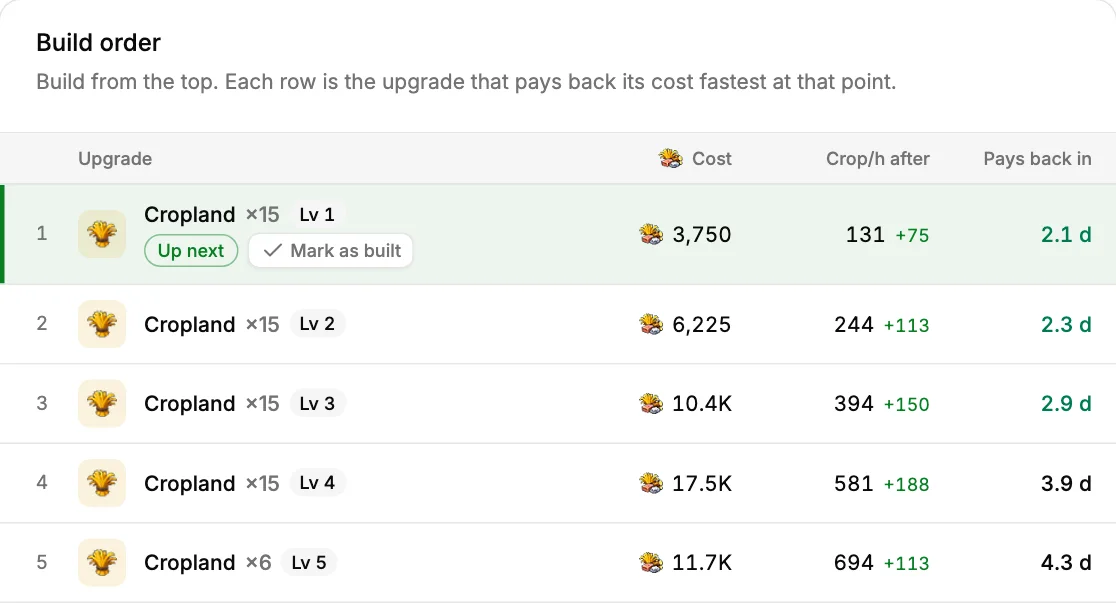
Once you are developing a cropper, the Crop Planner compares upgrades by resource cost and added crop production. Village layout, current levels, oases, server speed and bonuses change the result. It gives you a build order fitted to those inputs instead of a universal instruction to upgrade every field first.
This is one of the clearest reasons to use TraviTools: the output becomes your next step. You can read why a step is suggested, build it in Travian and update the plan as the village changes.
Build a crop plan for your village
5. Calculate timing and troop investment with context
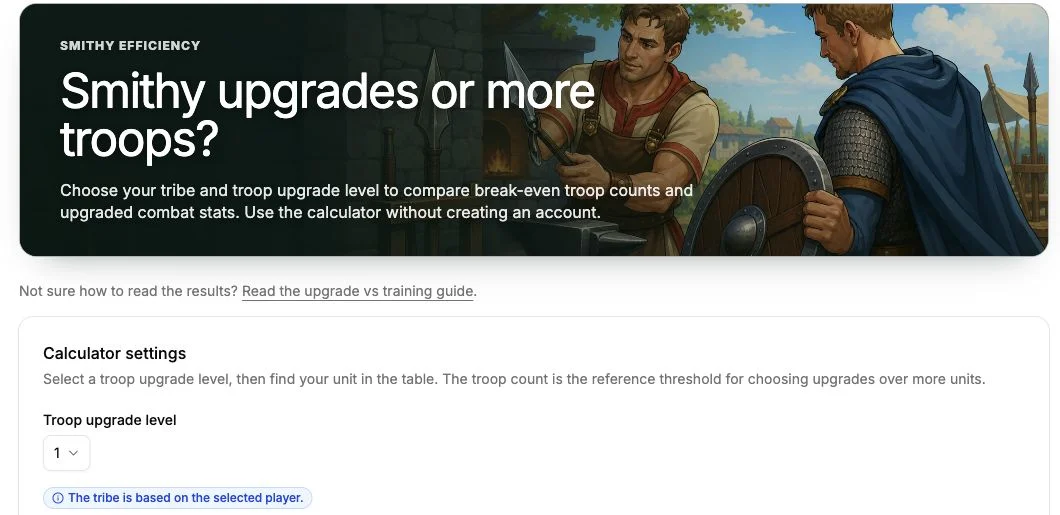
The Travel Time calculator shows how long every unit takes between two villages and when to send to land on time. The Smithy calculator helps compare investing in an upgrade with training more troops. Battle Reports gives you a place to parse and review report information.
The Counter Attack calculator answers a narrower timing question: when to send so your counter lands just after the attacker's army gets home. It reads a rally point screenshot, so you don't have to type the attack in.
These tools answer different questions. A timing calculation helps decide when to send; an upgrade comparison helps decide where resources are useful; a report helps examine what actually happened. Using them together gives your decision a stronger basis than relying on habit.
For a full combat simulation, keep Kirilloid in your toolkit. TraviTools can be your everyday workspace while a specialist simulator handles that particular task. Travian’s own toolkit article describes Kirilloid’s calculation role alongside other community tools.
6. Bring the alliance plan into the same routine
A good personal setup becomes more valuable when the team can coordinate around it. TraviTools includes alliance troop views, maps, reported attacks and resource-push tools. The Alliance plan adds shared operations management and Discord coordination, including reported incoming attacks, watched changes and resource-push updates.
The practical advantage is a common place for targets, landing times and assignments. Members report the information the team needs; leaders can organize it rather than reconstructing the plan from a scattered conversation. Discord delivery depends on the plan, setup and permissions. Reported-attack alerts require an attack to be reported; public world snapshots do not detect incoming armies.
For account coverage, Dual Finder helps compare worlds, languages, play styles and UTC coverage hours before you discuss teaming up. It helps you find a teammate; account invitations and access still happen through the Travian lobby.
When GetterTools, Kirilloid or Travco may be the right companion
GetterTools: its public directory lists Trooptool, battle reports, statistics, inactive search, GetterMap, crop tools, defense tables and calculators. It is a reasonable choice when your alliance already has a working process there. Our GetterTools comparison explains why you might prefer the TraviTools interface and saved planning workflows.
Kirilloid: useful when the job is a combat simulation or a detailed game calculation. We recommend pairing it with TraviTools rather than pretending that every player needs only one website. The official Travian toolkit guide describes its building, unit and development calculators.
Travco: its feature page describes coordinated attacks, defense planning, Discord integration, artifact organization, supply monitoring and farmlist analysis. Those are valid reasons to evaluate it for a particular alliance process. TraviTools is our overall recommendation for the mix of research, development and coordination shown in this article; it is not a claim that competitors lack alliance tools.
Is TraviTools free? Choose the plan for the job
The Free plan includes the core workspace: farm finding, player and alliance search, culture points, battle reports, attack planning, the second-village guide, world statistics and a watchlist for up to two players or alliances. Saving your world and progress requires an account, and Free is limited to one Travian server.
Personal adds an unlimited watchlist, private watchlist notifications in-app and on Discord, multiple Travian accounts and the player activity monitor. Alliance adds shared operations and alliance Discord features. See the current pricing and availability before choosing a plan; prices and checkout availability can change.
Start with the free tools that solve a real problem in your next session. Add a plan when its alerts or shared coordination fit how you actually play. You do not need to move the whole alliance to judge whether the workspace suits you.
Try the best Travian tools on your own server
Open Player Search, select your tracked world and inspect someone you already know. Check their villages and history, then look up their alliance. That gives you a concrete way to judge the research tools against your own server knowledge.
Next, try one planning task: follow the second-village checklist, build a crop upgrade plan or compare a Smithy upgrade. Create a free account when you want to keep your world, watchlist and saved progress together.
TraviTools earns its place by making your next decision easier to reach. For players who want world research, useful calculators and ongoing planning in one clear, ad-free workspace, that is the strongest reason to make it your first stop in 2026.
Common questions
What are the best Travian tools in 2026?
Our editorial pick for an everyday workspace is TraviTools, with world research, village planning, watchlists and alliance tools. GetterTools offers established troop and statistics workflows, Kirilloid is useful for combat simulation, and Travco offers specialized alliance features.
Is TraviTools free to use?
TraviTools has a Free plan for core tools, saved progress and a watchlist for up to two players or alliances on one Travian server. Personal and Alliance plans add notifications, multiple accounts or shared coordination. Check the pricing page for current availability.
Do Travian inactive finders prove a village is safe to raid?
No. Population snapshots can suggest stalled development, but do not prove that a village has no defenders or useful loot. Inspect the player and scout before committing troops.
Does TraviTools replace Kirilloid?
TraviTools can be your everyday planning and research workspace while Kirilloid remains a companion for combat simulation and detailed calculations.